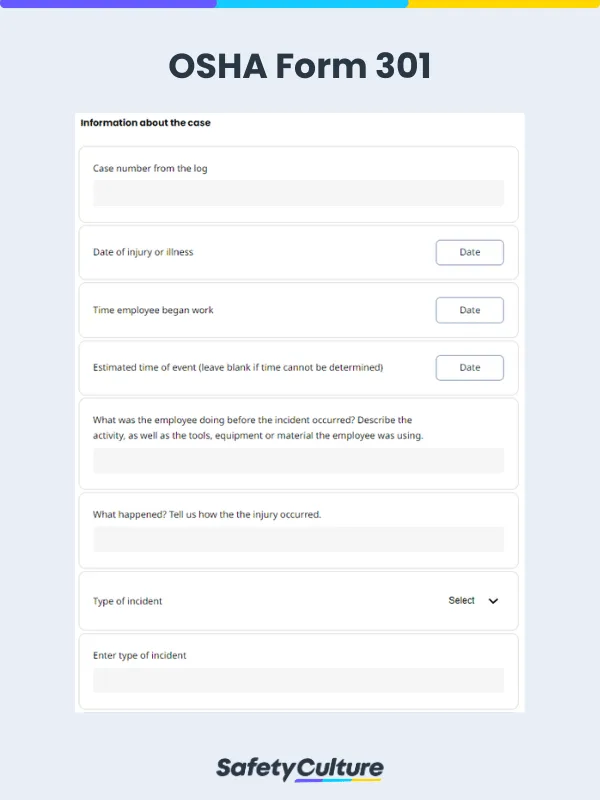
What is an OSHA Form 301?
An OSHA Form 301 is a document created by the US Occupational Safety and Health Administration (OSHA) for recording and reporting workplace injuries. Also known as the OSHA Injury and Illness Incident Report, this form is required by OSHA to document injuries and risks to improve safety in the workplace.
Importance and Purpose
The main purpose of OSHA Form 301 is to help promote workplace safety and injury prevention by requiring employers to document incidents of employee injury or illness. This information can be used to identify hazards and develop strategies to prevent future incidents from occurring. By providing a detailed account of the incident, including its causes, OSHA Form 301 helps employers and OSHA to better understand the types of injuries and illnesses that are most common in the workplace, and to take steps to address them.
OSHA Form 301 is also essential for legal compliance. Under OSHA regulations, employers are required to keep accurate records of work-related injuries and illnesses, and failure to do so can result in penalties and business closure. By filling out OSHA Form 301 in a timely and accurate manner, employers can demonstrate their compliance with these regulations and avoid potential legal consequences.
In countries other than the US, having a similar form is still required by different employers across different industries. By generally collecting data on injuries, illnesses, and the like, employers and safety personnel can identify trends and patterns in workplace safety and health, and develop more effective safety standards and enforcement strategies. The information can also be used by employers to compare their safety performance to industry averages and identify areas where improvements are needed.
What to Include in an OSHA Form 301
You can get the OSHA Form 301 from OSHA’s website, or create your own, as OSHA accepts equivalents as long as they contain the same details their own forms require. Therefore, your OSHA Form 301 should contain fields for the following:
Basic information about the employee
Information about the health care professional responsible for treating the injured or ill employee
Information about the case such as the date, the details of how it was discovered the employee was sick or injured, and how it happened
Information on the type of injury or illness sustained, or if the employee died
Observations and comments regarding the incident, illness, or employee
At the end of the form, there should be a section for the details of the person completing it. In some cases, it can also be at the start.
Here is a sample of a filled-out OSHA Form 301 for reference:

OSHA Form 301 Sample Report | Mitti (by SafetyCulture)
How to Use the OSHA Form 301
Fill up your OSHA Form 301 in the following order:
Write down your employee’s name and their address.
Describe any medical treatment that the employee received as a result of the injury or illness, including the name of the healthcare provider, the type of treatment provided, and any medications that were prescribed.
List down the injury or illness attained, the location where it happened and was seen, and the type.
Expound on the employee’s job duties at the time of the incident and any possible contributing factors to the incident or illness that happened.
Indicate whether the employee was taken off work or given restricted duties as a result of the injury or illness. If so, provide details about the type of work restriction and the duration of the restriction.
If the employee passed away, explain what happened and when is their time of death.
Detail the outcome of the incident, including the date that the employee returned to work, any lost workdays, and any ongoing medical treatment that has to be administered as an effect.
To ensure accuracy, employers should provide training to employees who are responsible for filling out OSHA Form 301. This training should include an overview of the form, instructions for filling out each section, and tips for ensuring accuracy and completeness.
Additionally, employers should establish protocols for reporting and documenting incidents of injury or illness in a timely and accurate manner to ensure that all necessary information is captured when filling out OSHA Form 301. Creating, answering, and managing a digital version of the form will be a great help for this. Going digital will not only help provide a better documentation process, storing all files in the cloud, but it will also streamline the process of reporting injuries and illnesses, speeding up the process.

Still looking for a checklist?
Search, filter, and customize 60,000+ templates across industries and use cases.