What is a Cybersecurity Risk Register Template?
Most organizations already know they face cyber threats — the harder problem is keeping track of all of them in one place. A cybersecurity risk register template is a structured document that records every identified digital risk an organization faces, alongside details about its likelihood, potential impact, current controls, and planned responses.
Think of it as a living inventory of threats. Each entry captures what the risk is, how probable it is, what it could cost the business if it occurred, who owns it, and what's being done to reduce it. Unlike a one-time risk assessment, the register is updated continuously as the threat environment changes.
Importance and Benefits
Cybersecurity risks don't announce themselves. The average organization took 181 days to identify a breach in 2025 and breaches that took longer than 200 days to contain cost an average of $5.01 million, according to IBM's Cost of a Data Breach Report 2025. A well-maintained risk register doesn't prevent every incident, but it significantly narrows the window between exposure and response.
Here's what a structured template delivers:
Visibility across the threat landscape
IT environments produce a constant stream of new vulnerabilities such as misconfigurations, third-party software, employee error, and evolving attacker tactics. A risk register template gives security teams a single view of all tracked threats, so nothing gets missed because it wasn't urgent at the time it was first identified.
Faster, evidence-based decisions
When a new vulnerability surfaces, the cybersecurity risk register template shows what's already in place to address it and where gaps exist. That means less time debating priorities and more time acting. Teams can see at a glance which risks are under-controlled and direct resources accordingly.
Compliance documentation
Frameworks like NIST CSF 2.0 and ISO 27001 all require organizations to demonstrate that they've identified and assessed risks to information systems.
NIST's guidance on cybersecurity risk registers specifically notes that a Cybersecurity Risk Register (CSRR) allows organizations to identify, organize, analyze, and report on cybersecurity risks at the system level. A template makes this documentation consistent and auditable.
Clearer accountability
Risk registers assign ownership. When a risk has a named owner and a review date, it's far less likely to be forgotten. Teams across IT, compliance, and operations know exactly who's responsible for each threat and what the expected response timeline is.
What to Include in a Cybersecurity Risk Register
The most common reason a register falls short isn't poor intent — it's missing fields. Security teams build a spreadsheet that tracks risk descriptions but leaves out ownership, treatment status, or the residual risk score after controls are applied. When an auditor arrives or an incident occurs, those gaps show immediately.
A well-structured cybersecurity risk register template should include the following fields:
Risk ID — A unique identifier for each entry, used for cross-referencing actions and audit evidence
Risk description — A clear scenario statement (e.g., "Unauthorized access to customer data via compromised employee credentials")
Risk category — The type of threat, such as ransomware, insider threat, third-party/supply chain, data breach, or system misconfiguration
Likelihood rating — How probable it is that this risk will occur, scored on your chosen scale (e.g., 1–5 or Low/Medium/High)
Impact rating — The potential consequences if the risk materializes, scored across confidentiality, integrity, and availability
Inherent risk score — The risk level before any controls are applied (Likelihood × Impact)
Current controls — Existing safeguards, policies, or technical measures already in place
Residual risk score — The remaining risk level after controls are factored in
Risk owner — the person accountable for monitoring and responding to this specific risk
Treatment option — Whether the risk will be mitigated, accepted, transferred (e.g., via cyber insurance), or avoided
Treatment status — Where the response currently stands (not started, in progress, complete)
Review date — When the cybersecurity risk register entry is next scheduled for reassessment
Each field earns its place. Risk owner, for instance, isn't just good practice — it's the single biggest reason registers get updated. Without a named owner, entries sit unchanged for months.
How to Use a Cybersecurity Risk Register Template
A template is only as useful as the process behind it. Follow these steps to get the most out of it:
Step 1: Identify and scope your risks
Start with a risk identification session that pulls in stakeholders from IT, security, compliance, legal, and operations. Map the organization's digital assets such as systems, data stores, networks, third-party integrations and ask what threats could affect its confidentiality, integrity, or availability.
Step 2: Score and prioritize
Once risks are documented, rate each one for likelihood and impact. Multiply the two scores to get a risk rating, then sort the register by score. This forces an objective conversation about which threats need immediate attention versus which ones can be monitored and reviewed later.
For example, a healthcare provider managing patient records will weigh data privacy risks very differently from a manufacturing firm focused on operational continuity. The scoring process should reflect those business priorities.
Step 3: Assign ownership and set response deadlines
A risk without an owner is a risk that will be ignored. For every entry, assign a named individual and agree on a response timeline. High-rated risks should have immediate action plans; lower-rated risks might have a quarterly review cycle. The register becomes a tracking tool as much as a documentation tool.
Step 4: Integrate with your broader security program
The register shouldn't sit in isolation. Link it to your vulnerability management process, incident response plan, and compliance workflows. Platforms like Mitti (by SafetyCulture) let teams build and update cybersecurity risk registers digitally, assign corrective actions directly from the register, and generate reports for auditors to remove the manual overhead that makes static spreadsheet-based registers fall out of date.
Sample Cybersecurity Risk Register
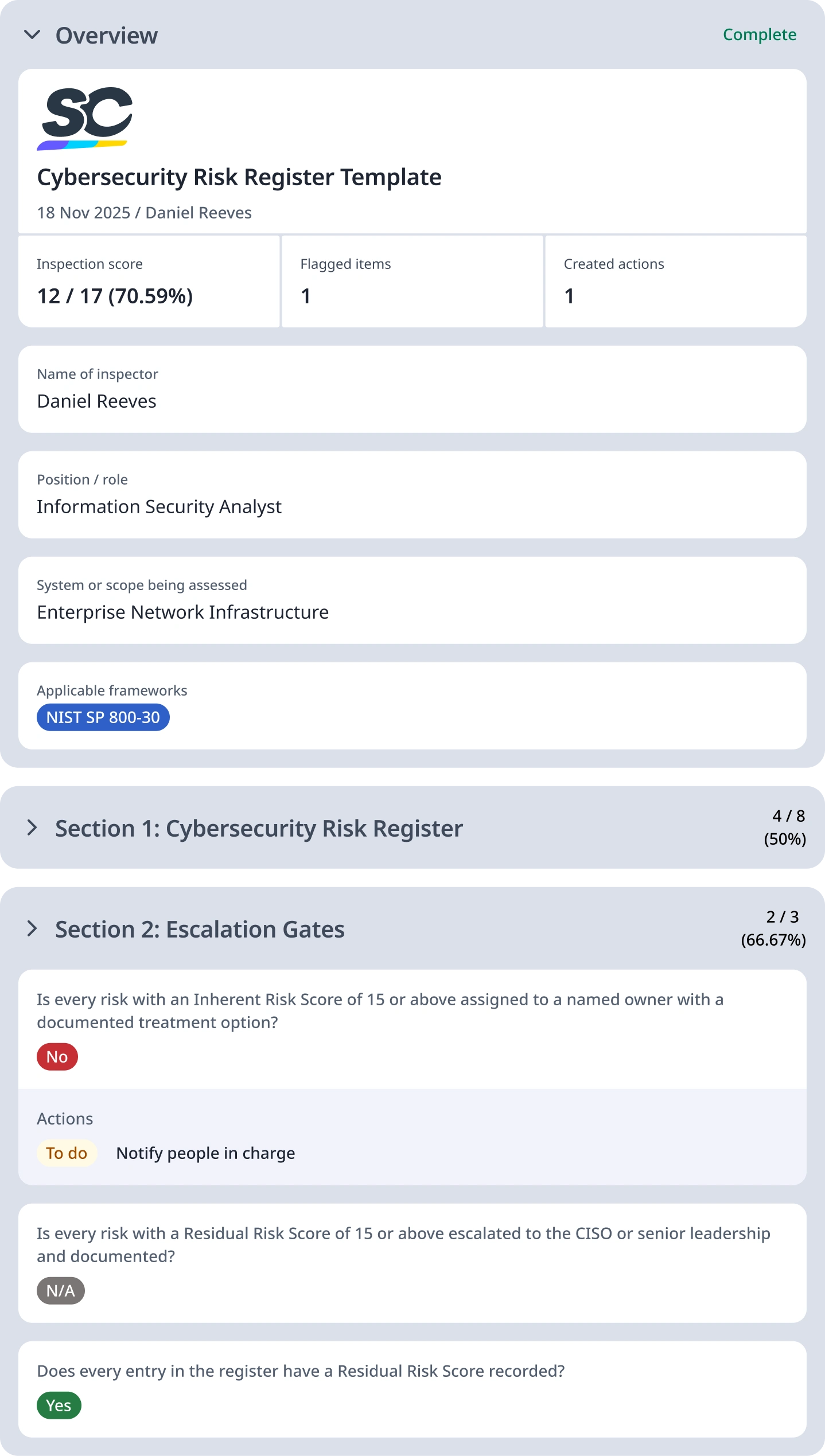
For reference, here is a filled-out cybersecurity risk register template: