10 Best assessment tools
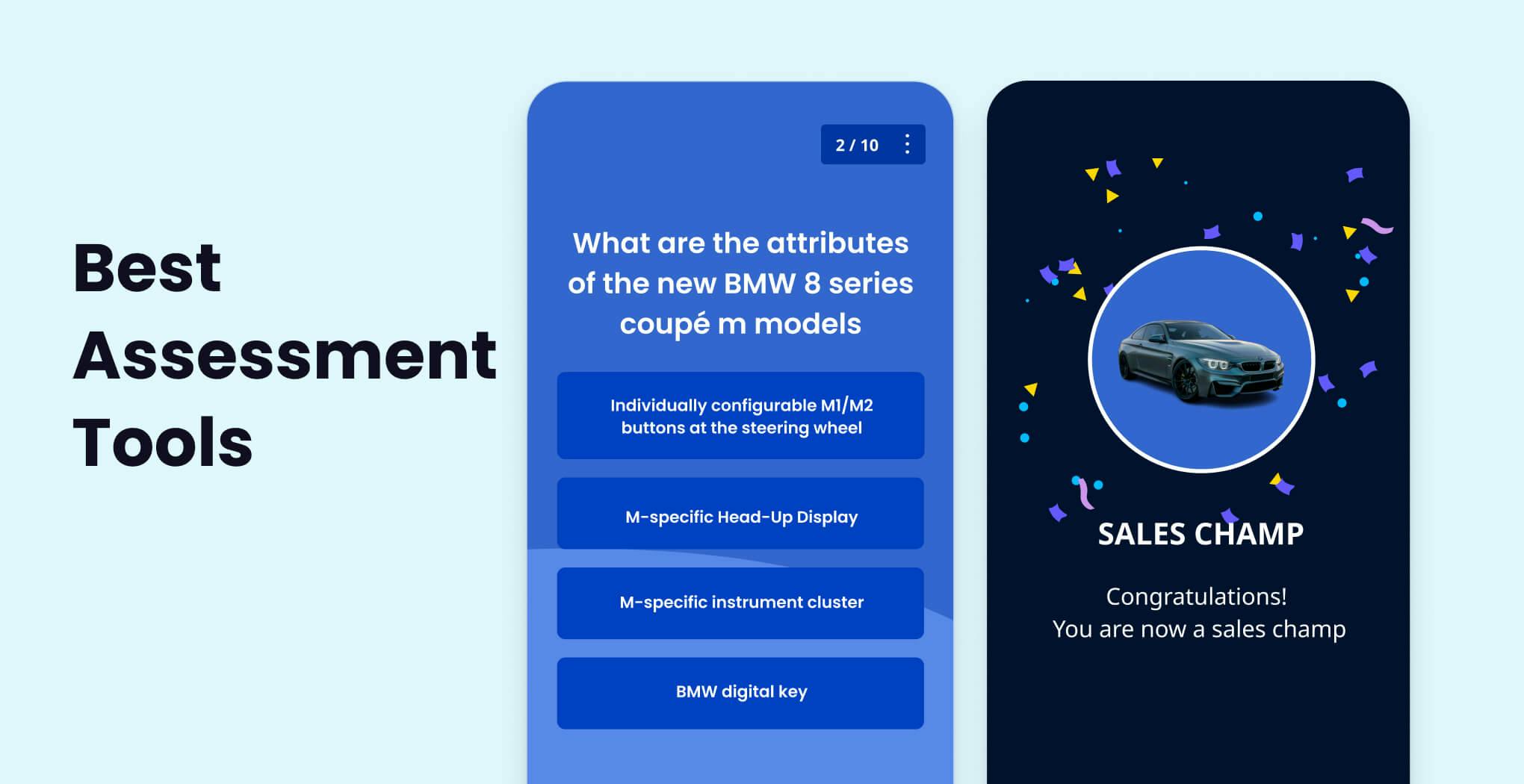


Mitti, a mobile training platform, has you covered with its Rapid Refresh feature, which includes an evaluation generator.
It's so simple to use that you can create a fully comprehensive training evaluation in minutes. Simply type in or upload your questions into their spreadsheet template, and the course evaluation tool will convert them into gamified questions for you.
The Rapid Refresh assessment generator can also convert your training quizzes into bite-sized assessments at regular intervals. This allows your learners to not only assess but also reinforce what they've learned. It also includes a spaced repetition tool (available upon request only), allowing you to schedule test delivery on a daily or weekly basis.
Another great thing about Mitti is you can use their quiz templates to reinforce learning with your learners. Apart from assessing their training progress during the course, you can also use quizzes in between lessons to help them remember concepts better. Mitti does this through its gamification and active learning strategy.
You can also give your training facilitators and supervisors exclusive access to conduct assessments for teams within their assigned user groups. This gives them the power to make training assessments, while on the job, to verify their skills training. Mitti’s Practical Assessment tool can help facilitators easily find everything they're looking for without the need to endlessly scroll through a long list of courses and users.
Features:
Rapid Refresh
Assessment generator
Spaced repetition (by request only)
Gamification
Active learning
Quiz templates
Fyrebox has a variety of configurable and interactive quiz templates that allow you to easily construct quizzes for game-based learning. Not only that, but it also automatically saves your learners' responses. You can use the data to determine how well they performed on their tests and pinpoint areas where they may require some extra help. You can even get separate reports or export them all to Excel for more detailed reporting.
Just a heads up that this type of assessment tool is mostly intended for entrepreneurs, students, and researchers. That is, some of its features may not be ideal for your corporate training requirements. But, you can test the tool's capabilities for free for 14 days.
Features:
Assessment tool
Real-time tracker
Detailed reporting
Mettl is an online assessment tool that serves both schools and businesses. It offers a simple interface that allows you to concentrate on designing tests rather than learning how to run them. It offers a variety of question types, such as multiple-choice, true/false, and essay questions.
Its powerful software also allows you to create more difficult exams to assess incredibly specific abilities such as spreadsheet proficiency and programming knowledge. A downside to Mettl is that it doesn't have a free plan, and its pricing is determined by how much you use and the services you want.
Features:
Quiz authoring
Complex skills testing
Question type options
Typeform is another assessment tool on our list. Typeform's drag-and-drop tool allows you to easily build excellent online quizzes with no coding or design skills. To distribute various types of quizzes, use their quiz builder with ready-to-use quiz templates.
You can use their Logic Jumps tool to create new question paths and more appropriate inquiries and learning experiences. You can also personalize your quizzes with their Hidden Fields function, which allows you to build unique interactions and address your learners directly.
Features:
Drag-and-drop quiz maker
Many quiz templates
Question pathways
Google Forms is more than just a tool for producing forms; it's also ideal for making quizzes and exams. There are several quiz types available to show your test questions, including multiple-choice, checkbox, and dropdown.
It even supports file uploads for more in-depth responses. Best of all, after each quiz, you receive an instant summary report of results, which is more efficient than manually documenting their answers.
But when it comes to customizing, Google Forms falls short of alternative options for creating an online quiz. The given templates are actually simple and fixed, which your team may not like.
Features:
Various quiz formats
Uploading of files
Quick quiz results
Quizlet is a well-known online quiz platform known for its flashcard format. Its game-show format content is commonly used in school settings, but it can also be used in employee training. You can choose from a collection of pre-made flashcard sets or create your own from scratch to create quizzes faster.
Flashcards can also integrate audio and video features. Remembering and keeping information becomes less of a hassle and more enticing as a result. Quizlet also offers mobile functionality, game-show-style tournaments, practice quizzes, and timed games.
Features:
Game-show like content
Pre-made flashcard stacks
Authoring tool for quizzes
Media imports
Kahoot! is similar to Quizlet in that it is widely used in schools, but also great for corporate training. Create fun assessments within minutes, either from scratch or by modifying an existing template. Multiple-choice, true or false, polls, riddles, and other question forms are available.
You might also want to integrate movies and photos to boost learner engagement and involvement. Kahoot! encourages synchronous training through team competitions and asynchronous learning through self-paced exercises. Real-time data and analytics are also available for use in shaping learning paths.
Features:
Authoring tools
Pre-made quiz templates
Various forms of questions
FlexiQuiz makes it simple to develop, share, and grade online quizzes. This type of assessment tool is great for trainers who want to give learners a fun and interactive learning experience. Creating quizzes with an intuitive user interface requires no coding or program downloads, making quiz creation simple and uncomplicated.
You can choose from nine distinct question forms, deliver supporting documentation, and display question feedback at specific times. They additionally give customizable choices for branding, grading, and quiz sharing.
Features:
Beginner-friendly UI
Question types
Customizable options
Qzzr is an assessment tool that helps organizations better understand their customers and assess employee learning. You can spend more time generating quizzes than learning the application since the UI is easy to navigate through.
Custom features, pictures, and media can be included to make your quizzes look like they belong on your website or platform. You can also use Qzzr's data and analytics tool to discover what your respondents are genuinely saying.
Features:
Simple UI
Custom elements
Media uploading
Quiz maker
Using Testportal's assessment builder, you can also create a quiz online with no sweat. All you have to do is select from the available questions, add your test questions, and in a matter of minutes, you'll have an interactive quiz ready for your team.
You can even watch the progress of your team in real-time and have a comprehensive snapshot of the most detailed online quiz stats. This will allow you to better understand your trainees and make more educated judgments about how to improve your training programs.
Features:
East online assessment tool
Real-time tracker
Detailed reporting
As trainers and leaders, we don't miss the importance of assessment tools in a training program. After all, without assessment tools examples, you won’t know how well or badly your learners are doing in their training.